My Health Journey
Why I Built Health Check-In
It was around the ripe young age of 40 when I started experiencing health issues unlike anything I was used to before. I had already gotten back into jogging a couple miles a day, quit alcohol, tobacco, and even coffee (in favor of Oolong tea) a few years before that, but I remember a kind of pivotal day where I was doing yard work at the house before coming inside around 2PM and being unusually exhausted. Increasingly after that, it tended to be that even on my better days, I still didn’t have the mental clarity or the physical energy that I remembered having before. My work (managing computer systems for a few thousand people) suffered as I had trouble focusing and was more prone to making mistakes. The hardest part wasn’t just feeling bad. It was not knowing why I felt better on some days and worse on others.
What I Tried Before
Like a lot of people trying to improve their health, I tried every angle I could think of. I worked with my primary care physician, an allergist, another doctor who specialized in holistic remedies… I spent five years going down rabbit holes and still wasn’t much better off even towards the end of 2024. One realization I had was that most health specialists didn’t have the capacity to sufficiently track what was really working for me, so I started to focus more on keeping my own notes. But how best to go about this?
I wouldn’t say I have full-blown ADHD, but it’s difficult for anyone in today’s fast-paced world to focus on these things consistently. I would make changes, hope that they helped, and then try to remember later whether they actually made a difference. Sometimes I thought I was making progress, but then I’d have a few bad days and feel like I was back at the beginning. Without a clear way to connect how I felt with what I had been doing, everything stayed vague.
Journaling gave me detail, but it was inconsistent and hard to review over time. I tried keeping notes in various applications on my computer or my phone, setting reminders, posting sticky notes everywhere, etc. Many health apps gave me plenty of numbers, but they didn’t capture the most important part: how I actually felt. Other apps focused on one category at a time—sleep, diet, activity, supplements—but my experience was that all of those things interact.
I even spent many months logging things with ChatGPT. AI can be powerful, but working with it as often as I did in my personal and professional life reinforced the fact that it couldn’t be entirely relied upon for this purpose: It’s still prone to mistakes, forgetting things, and shouldn’t be trusted with private data.
What I needed was something simple enough to use every day but structured enough to help me learn from the data later. I wanted one place where I could quickly log how I was feeling, note recent activities, track diet and supplements, and automatically pull in the health data that might matter most. I didn’t want more noise. I wanted a clearer picture.
Using a Percentage to Describe "How I Feel" and other Features
It got to be that whenever my wife would ask me how I was feeling, I found it best to respond with “I’m at about 75% today”. Sure, a percentage is arbitrary, but I couldn’t think of a faster way to describe how I was feeling.
All of this is what ultimately led to the creation of Health Check-In. The idea was straightforward: use a percentage to record how I feel each day in as little time as possible at a bare minimum, then add whatever notes I could. The more detailed I could be, the better… but even having just the percentage with a time stamp would be helpful. When doing a check-in, I would list recent activities, note what I’ve been eating, record supplements or medications I’m taking, and review trends over time. I also wanted to eliminate the need to bounce back and forth between apps, so I set it up to stamp my entries with sleep and step data from FitBit (since that was what I had been using for years). Speaking of FitBit…
Sleep Data
I have been using a FitBit since 2016. I am unusual in that a perfect night of sleep is only five and a half hours long, with one and a half hours of deep sleep and one and a half hours of REM. Even when I got this and felt like I should have had a perfect sleep score, the best I would ever get was a 93. Also, I felt like it weighed the total amount of sleep more heavily than deep/REM sleep. I heard similar stories from friends. This was frustrating to me, so I built Health Check-In to read the data from FitBit and create my own score based on simple metrics that I gave it. On top of that, I put it right on the “Today” page with the ability to quickly see the important metrics I wanted to see: Total Sleep; Deep Sleep; REM Sleep; Light Sleep; Time Awake; Time in Bed.
Step Data
Overexertion and recovery is another thing that I have struggled with and I know that lack of exercise affects my sleep quality. What I wanted to see on any given day was the number of steps I took the day before, since that ties into how I was feeling now. If I noted in a check-in that I was really tired or that my legs were sore, I would have a time stamp showing that I did 20,000 steps the day before to look back on later. Over time, when I started reintroducing electrolytes and small amounts of B12 into my routine, their effectiveness was reinforced by the fact that a 20,000 step day no longer has such a profound effect on how I was feeling.
Bonus: Weather, air quality, and pollen information
Another friend who has been using early versions of the app recently asked if it was possible to include weather information with check-ins automatically. This reminded me that it was actually one of the original thoughts I had in coming up with the app: “How do the various seasons affect how I’m feeling?” I was able to incorporate this as well. Every time you submit a check-in, the app calls out to a couple public servers to grab this information and stamp it onto your entry.
Tying Everything Together
Having everything in one all-encompassing view was key to me. Clearly defining the range of problems I was trying to solve (from the micro to the macro) and how I was trying to solve them was crucial. A bad day was no longer just a bad day. It became something I could examine in context. If I experimented by changing a single factor in my routine, I now had an authoritative record of it that I could easily find in three months or a year. I was also finally working with a nutritionist who helped me better identify underlying core issues and guide me with good potential changes, but the solid day-to-day tracking was a crucial tool in my journey.
I now also had a “Trends” screen showing my scores over time with the ability to press any date and jump back to my previous entries on the “History” screen for more detail… easy to look back into the past and see what worked, what didn’t, then turn around and add notes to the “Insights” screen. Furthermore, my nutritionist asked if there was a way I could export my history for her to look over, so I added the ability to export to a PDF or CSV file.
Artificial intelligence
Ah yes, the “double-edged sword”. Extremely useful but comes with a few caveats. Some people have understandable criticisms of it for its environmental or societal impacts (which is another reason why it’s an optional feature). However, this is something that I had friends request during the early stages of development. Adding this into the app was complicated and every call that it makes out to an AI service costs money. I was able to make this work in a way that is extremely beneficial. The more entries and detail that you have, the more that the AI has to work with and you wind up getting better, more thorough feedback. You can now ask follow-up questions and save or export your conversations – good for supplying to a health professional as well… even if they don’t like using AI, having it neatly summarize your check-in history and find correlations can be admittedly powerful. Still, we needed to ensure that any private information was stripped out before being sent off the phone, which leads me to the next point…
Privacy
From the very beginning, this needed to be something which wouldn’t require creating accounts or even being online to use, if possible. As it stands now, none of the data in Health Check-In leaves the phone until you export it. The AI feature sends data to Google Gemini for analysis, but it strips out anything personal before doing so and any cached data is just temporary. Even then, the amount of personal data you enter into the app is extremely minimal and up to you – No email address, or phone number… you don’t even have to give it your real name, if you don’t want to.
Where I Am Now
Through everything I’ve done, I can say that I feel much better on my average day than I did even a year ago. I have been into running and bicycling for years and, even though it has almost always helped me to feel good initially, recovery was unnecessarily brutal. Dehydration was an issue for me and was more of a reason for this than I had ever realized — I needed magnesium along with sodium and potassium. One problem I had was that I am oddly sensitive to magnesium… I would take either the citrate or glycinate form at night before bed and it would have the extra benefit of preventing insomnia (which is another issue that I have struggled with, historically). However, I would feel groggy well into the next day as it would take longer than normal for my system to process it. Logging my experiences and how I was feeling in Health Check-In helped me to determine that it was the magnesium that was doing this in the first place, and I used it to experiment with different forms of electrolyte combinations until I eventually figured it out. I now begin every day with a brand of electrolyte tablet I found which has magnesium bicarbonate and has worked very well for me. It has greatly reduced much of the brain fog and tiredness that I used to experience daily and is just one example of a fix which has had a real impact on my daily life.
There are still ways in which I need to optimize my health, and I continue to use Health Check-In multiple times a day.
“Personal Health Laboratory”
A computer is a complex machine, and the human body is also a type of machine. The machines that are our bodies are amazing things which sometimes malfunction. Finding the root cause of a malfunction requires investigation and experimentation. Health Check-In gives you a personal laboratory to run experiments, track what you’re trying, and discover what actually makes a difference.

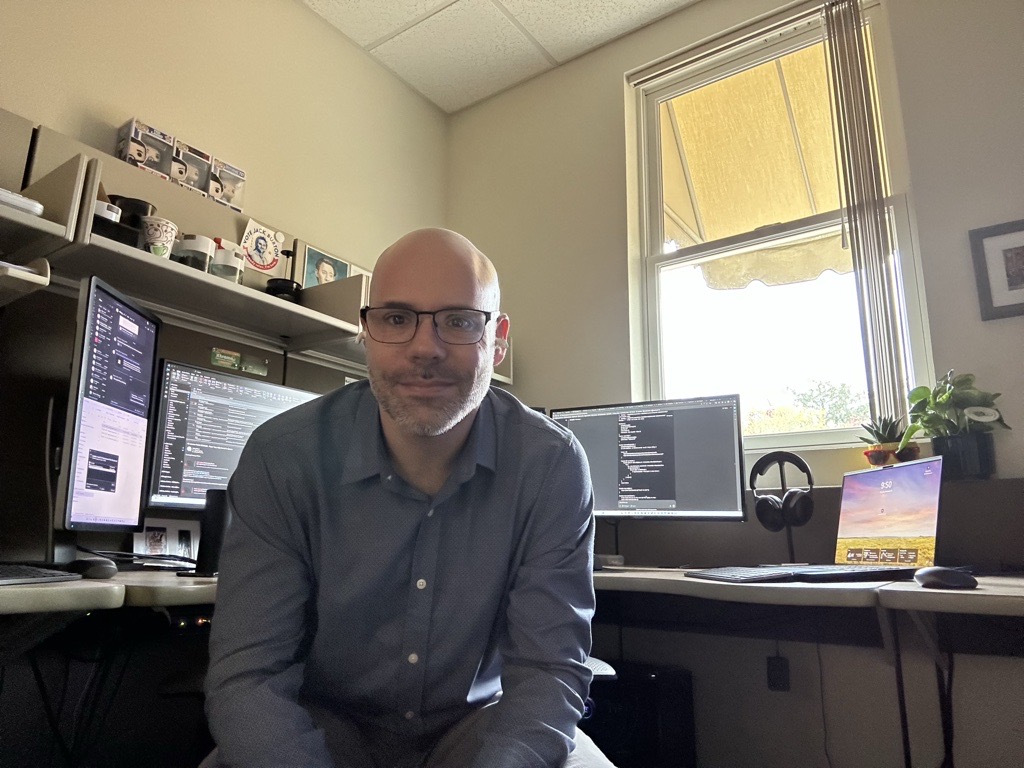
— Robin, Creator of Health Check-In